



Lighting dimmer
Permits manual adjustment of the brightness of the instruments and controls to suit the ambient light level. Only operates when the vehicle lighting is on, with the exception of the daytime running lamps.
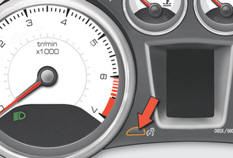
Activation
Press the button to change the brightness of the instruments and controls.
When the lighting reaches the minimum setting, release the button, then press again to increase it.
or
When the lighting reaches the maximum setting, release the button, then press again to reduce it.
When the lighting reaches the level of brightness required, release the button.
Deactivation
When the vehicle lighting is off, or in day mode on vehicles fitted with daytime running lamps, pressing the button does not have any effect.
See also:
Footwell lighting
The soft lighting provided by the footwell lamps improves visibility in the vehicle
when the light is poor.
Activation
Its operation is identical to that of the courtesy lamps. The lighting come ...
Boot
Opening
After unlocking the vehicle using the remote control or the key, press the handle
A and lift the tailgate.
Closing
After closing the lower tailgate, pull the handle B downwards to gui ...
Overview
Right from the start of the project, the technical choices structuring the
"A9" project (internal code name of the Peugeot 208) were directed on the basis
of the PSA Group's platform 1 t ...