



Access
Remote control key
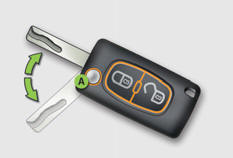
A. Unfolding / Folding the key (press this button first).
 Normal locking
(press once; fixed lighting of the direction indicators).
or

Deadlocking the vehicle
(press twice in succession; fixed lighting of the direction indicators).

Unlocking the vehicle
(rapid flashing of the direction indicators).
When a sensor detects a low level of light, remote switching on of the dipped beam headlamps and sidelamps makes your approach to the vehicle easier.
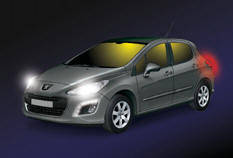
In the same way, the passenger compartment lighting, such as the courtesy lamps, the front door sill lamps and the footwell lamps, comes on.
Fuel tank
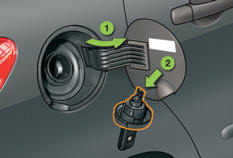
1. Opening the fuel filler flap.
2. Opening and hooking the fuel filler cap.
Capacity of the tank: approximately 60 litres.
Panoramic sunroof
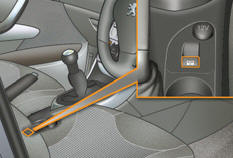
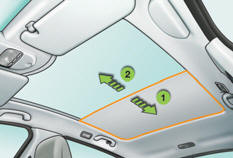
1. Opening the blind.
2. Closing the blind.
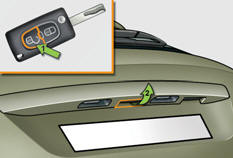
Boot

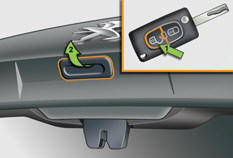
1. Unlocking the vehicle.
2. Opening the boot.


See also:
Very cold climate screen
Removable protective screen which prevents the accumulation of snow at the radiator
cooling fan.
Before fitting or removing the screen, ensure that the engine is off and the
cooling fan has stopp ...
Operation indicator lamps
If one of the following indicator lamps comes on, this confirms that the corresponding
system has come into operation.
Deactivation indicator lamps
If one of the following indicator lamps come ...
Quality of the fuel used for petrol engines
The petrol engines are perfectly compatible with E10 or E24 type petrol biofuels
(containing 10 % or 24 % ethanol), conforming to European standards EN 228 and EN
15376. E85 type fuels (containing ...