



Displays in the instrument panel
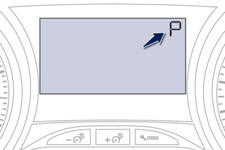
When you move the lever in the gate to select a position, the corresponding indicator is displayed in the instrument panel.
P. Park
R. Reverse
N. Neutral
D. Drive (Automatic driving)
S. Sport programme
. Snow programme
1 2 3 4. Gears engaged during manual operation
-. Invalid value during manual operation
Foot on brake
 Press the brake pedal
when this indicator lamp is displayed in the instrument panel (e.g.: starting the
engine).
Press the brake pedal
when this indicator lamp is displayed in the instrument panel (e.g.: starting the
engine).
See also:
Access to reasonably priced navigation
This graphic touch interface is pre-equipped for the navigation option with
map of Europe. And this is available at a reasonable price, less than 500 euros,
placing it in a very competitive positi ...
An interior offering day-to-day practicality
This interior offers no less day-to-day practicality as a result, with
numerous well-thought-out storage compartments, such as the deep compartment
situated in front of the gear lever which can be ...
Locations for ISOFIX child seats (308 saloon, 308 SW with bench rear seat)
In accordance with European Regulations, this table indicates the options for
installing ISOFIX child seats on seats in the vehicle fitted with ISOFIX mountings.
In the case of universal and se ...